
Free timesheet template for construction
A weekly timesheet as a printable PDF for the site and as Excel to fill in on a computer. Two rows per day, extra work kept apart and hours summed by site.
- Printable A4 and an Excel that calculates the hours
- Extra work, client sign-off and travel time in their own columns
- Works in Excel, Google Sheets and LibreOffice
What goes on the timesheet
The columns follow what is asked about the hours later: which site the time went to, what of it is billed and who approved it.
Site and work phase
Two rows per day, because a day often holds two sites, or a contract and extra work.
Start, end and break
Hours are calculated from these, including shifts that run past midnight.
Extra work and description
Kept apart from the contract, so extra hours are easy to find when invoicing.
Client sign-off
A name or initials next to extra work. Signed-off hours are easier to bill.
Travel time and kilometres
In their own columns, not mixed with working hours.
Summary by site
The week's hours and extra work per site, when the site name is written as on the rows.
The template does not calculate overtime
Overtime, supplements and allowances depend on the collective agreement and the company's working time model. The template records actual hours, and compensation is calculated in payroll under your own agreement.
When sheets pile up every Friday
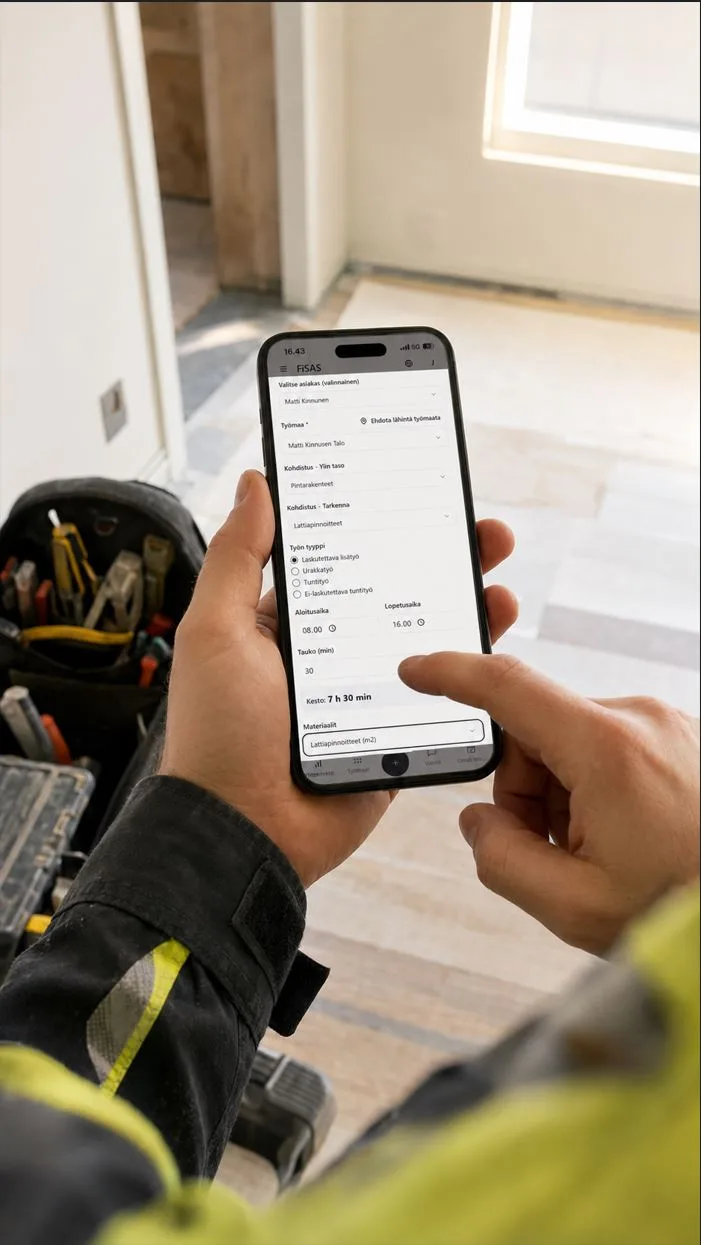
The same time entry by phone, straight to site costs
In FiSAS a worker picks the site, cost allocation and type of work, marks start, end and break, and sends the entry from the site. Supervisors see the hours at once and approve them, and approved hours move to the project costs and the invoice.
14 days free. No payment details. Cancel at any time.
Frequently asked questions
What is in the timesheet template?
Two files. The printable PDF is a weekly sheet that fits A4 landscape, filled in by hand, with extra work marked by circling. The Excel has an empty weekly sheet and a filled example week showing where each detail goes. The weekly sheet has two rows for every day, weekly totals, extra work hours separately, a summary by site and sign-offs for the worker and supervisor.
Does the template calculate hours automatically?
The Excel version does. Once start, end and break are filled in, hours are calculated to two decimals. The formula also works for night shifts where the end time falls on the next day.
Is a timesheet enough as a working time record?
An employer must keep a record of hours worked and the compensation paid for them. A timesheet is good source data, but compensation is recorded in payroll and the record must be kept. The responsibility stays with the employer whatever tool is used to collect the hours.
Why does extra work have its own column?
Because extra work is billed differently from the contract, and those are exactly the hours that go missing from the invoice when they sit on the same row as other work. A client sign-off on the same row helps if the invoice is questioned.
Is the template free?
Yes. It is sent to the email address you give and costs nothing to use. The address is not passed on.