
Photo and floor-plan documentation
Document the site situation with photos, attachments and a site diary straight from your phone. Photos, checklists and notes are stored on the right project and are immediately visible to the whole team.
Try for freePhotograph the site and attach photos automatically to the right location.
- Photos and attachments straight from your phone onto the right project
- Site diary forms and checklists on mobile
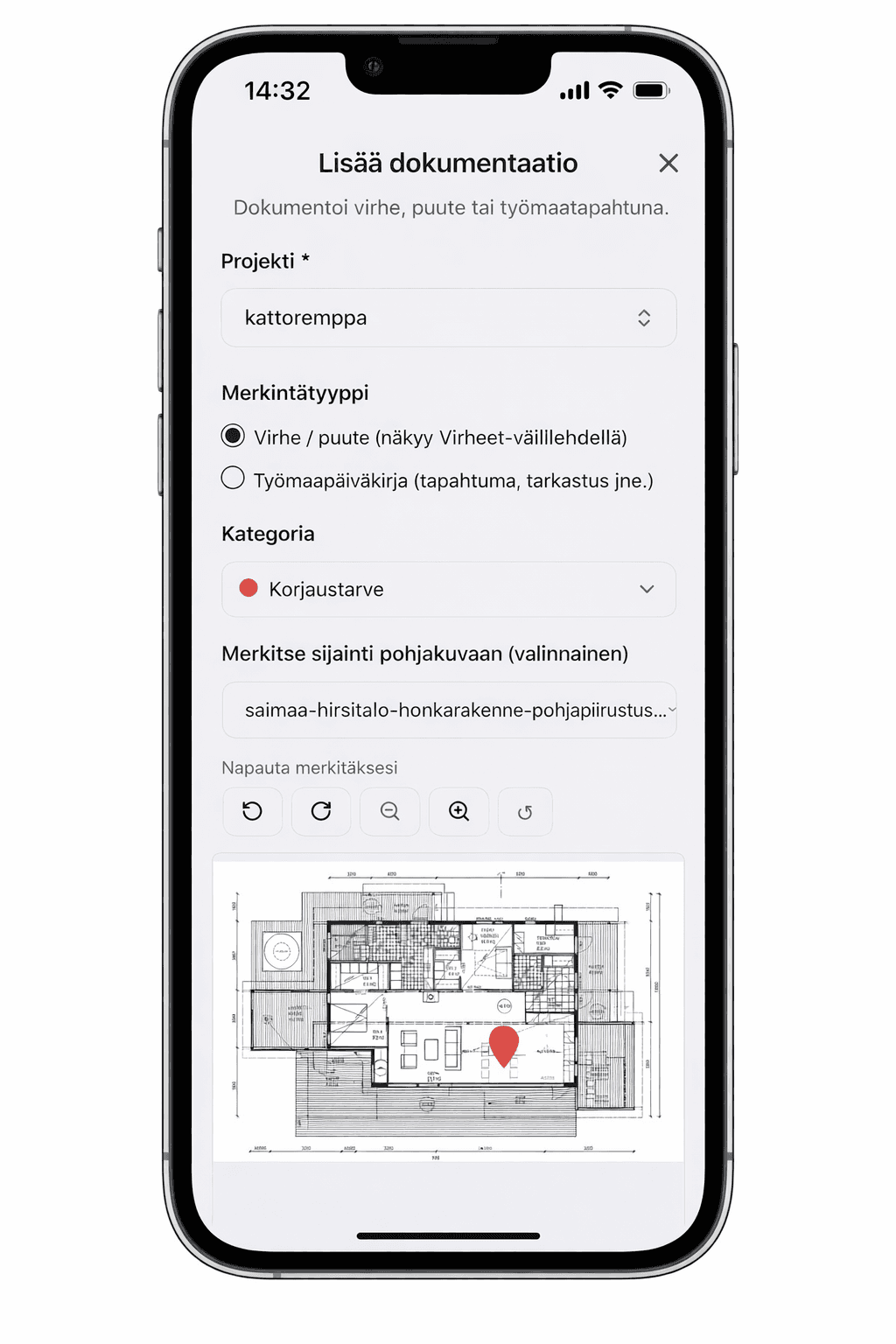
- Floor-plan markers with precise location data
- Claim protection with documented evidence
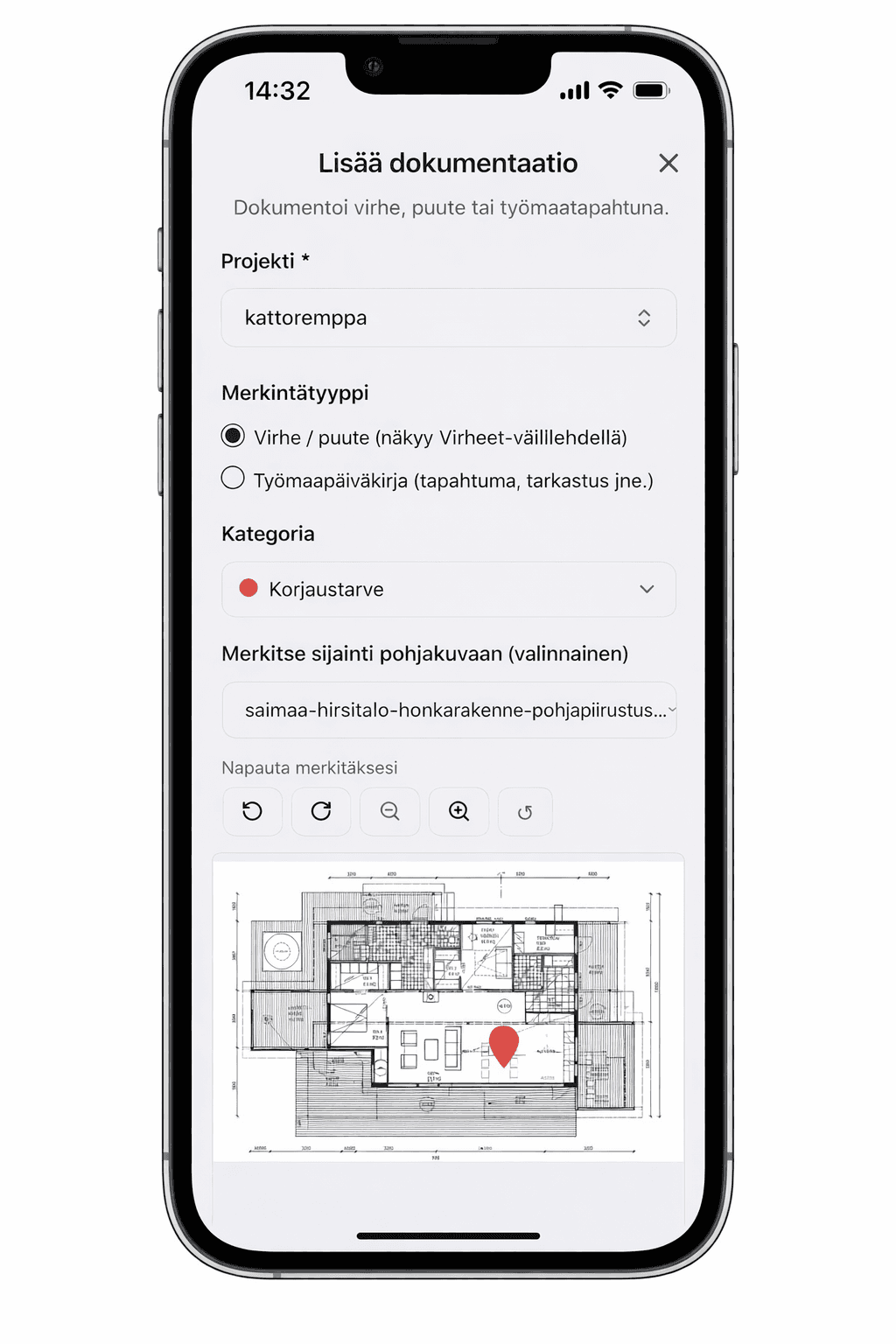
PHOTOS, VIDEOS AND FLOOR-PLAN MARKERS
PHOTO DOCUMENTATION
Photograph the site situation with your phone, and the photo is stored straight on the right project. Defects and shortcomings are marked on the floor plan with a precise location and verified with photos, so in a claim situation the evidence is ready. Photos, videos and attachments are immediately visible to the whole team, and every entry has a responsible person and a status, so no observation is left hanging.
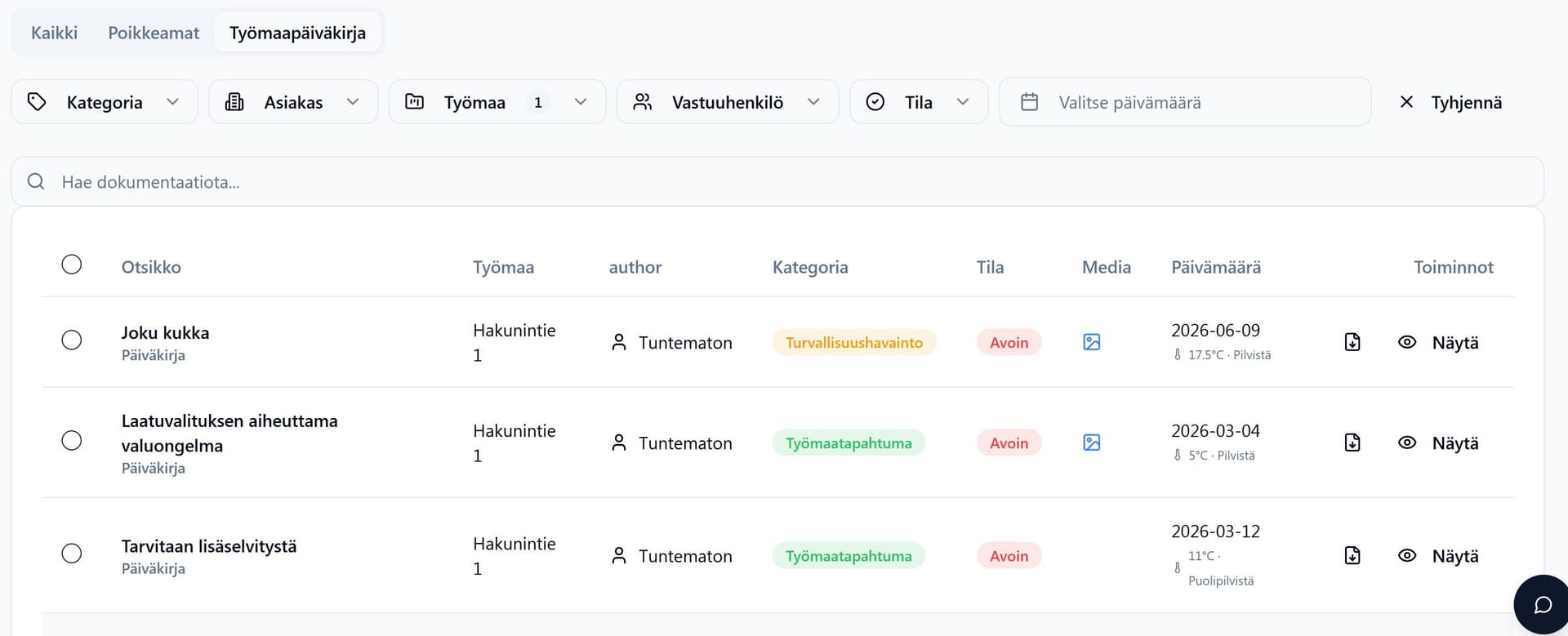
THE DAY'S EVENTS ON RECORD
SITE DIARY
The site diary travels with you on your phone. Log site events, inspections and reviews, work-phase documentation and safety observations into their own categories. Weather data is saved on the entry automatically based on the site's location, so conditions can be verified afterwards. Write or dictate: the AI turns speech into text and suggests a title and a category. Entries filter by site and by customer, and the diary can be exported as a PDF report with one click.
Try documentation for free
14 days free, no payment details, no commitment.
Frequently asked questions
Which plan includes documentation?
Documentation is available in every plan from the Maker plan onward.
Do photos save automatically to the right project?
Yes. A photo is linked to the project and location where it was taken.
Does documentation work with the floor plan?
Yes. You can mark the location directly on the floor plan.
What can be logged in the site diary?
Site events, inspections and reviews, work-phase documentation and safety observations. Weather data is saved on the entry automatically, and the diary can be exported as a PDF.
Other features
Cost estimation
AI drafts the quote from your drawings for you. You review it, price it with your own rates and win more contracts.
Drawing measurement
AI takes off the quantities from your drawings for you. You review them, and they go straight into the quote.
Invoicing
Invoice your projects fast. The invoice is created straight from logged work or by payment instalments.