 FiSAS
FiSASLog work hours on your phone straight from the site
Installers log their hours with a few taps on their phone, even without a connection. Hours flow automatically into the project's cost tracking and onto the invoice, so they never have to be entered a second time.
14 days free. No payment details. Cancel at any time.
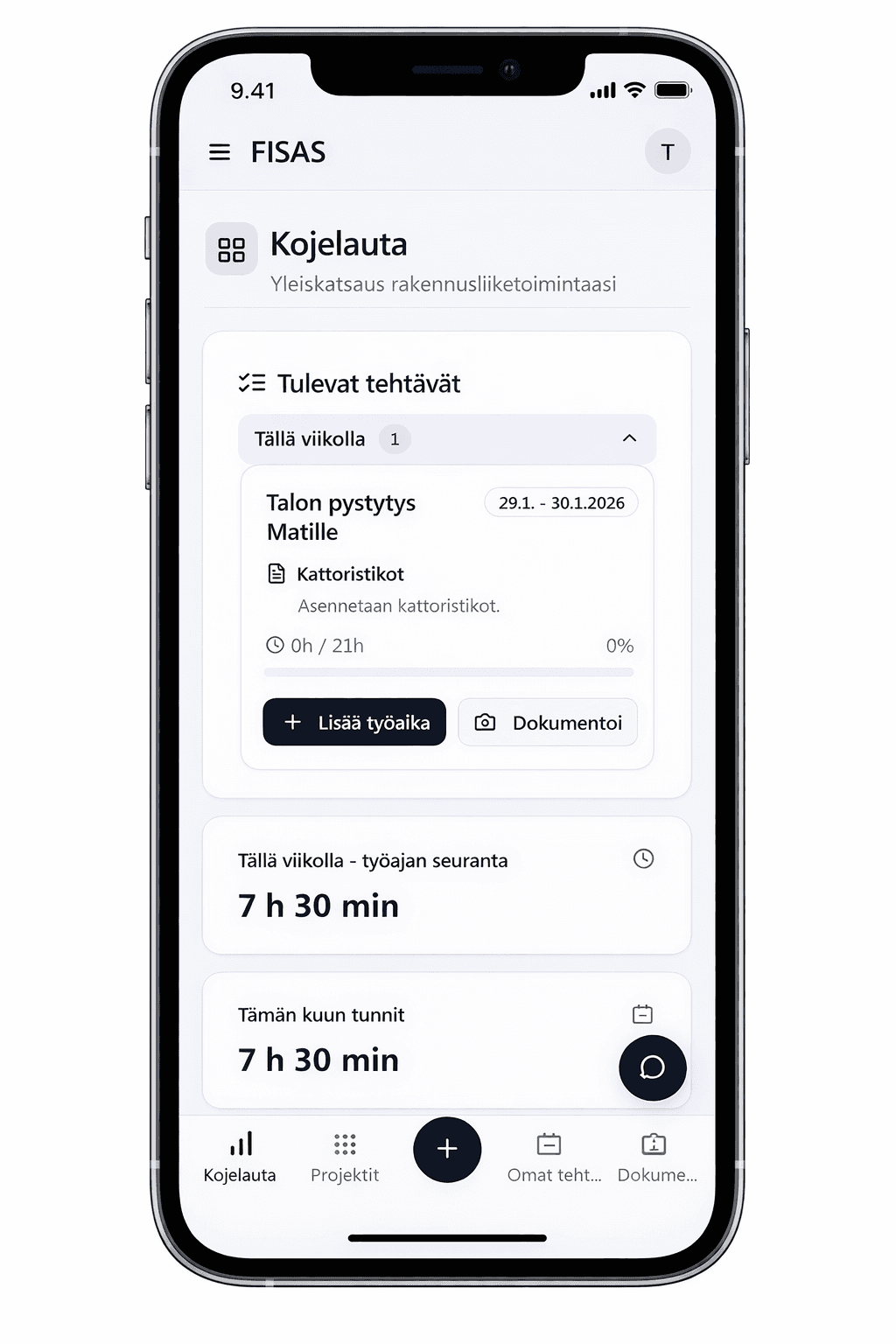
Done
Hours
Site
Description
Kilometres
Hours logged in a few taps
Logging happens on the phone straight from the site. The GPS location is saved automatically, and hours can be signed off by the client right on mobile.
Works without a connection
Hours and entries can be made offline, and they sync automatically as soon as the connection returns. A basement or a dead spot is no obstacle.
Hours straight into cost tracking and onto the invoice
Logged hours show up immediately in the project's cost tracking and carry over to the invoice. No more weekend hour-chasing and no double entry.
From the field to the office with no middle step
Hours are logged once on site, and they flow straight into tracking, approval and the invoice.
Logging on mobile
A few taps is all it takes on site
Logging hours is at its best a matter of a few taps. Hours are logged on the phone straight from the site, and the GPS location is saved automatically with the entry. Hours can be signed off by the client right on mobile, so the work is already approved in the field.
- Logging on the phone straight from the site
- GPS location saved automatically
- Client sign-off right on mobile
Real-time data
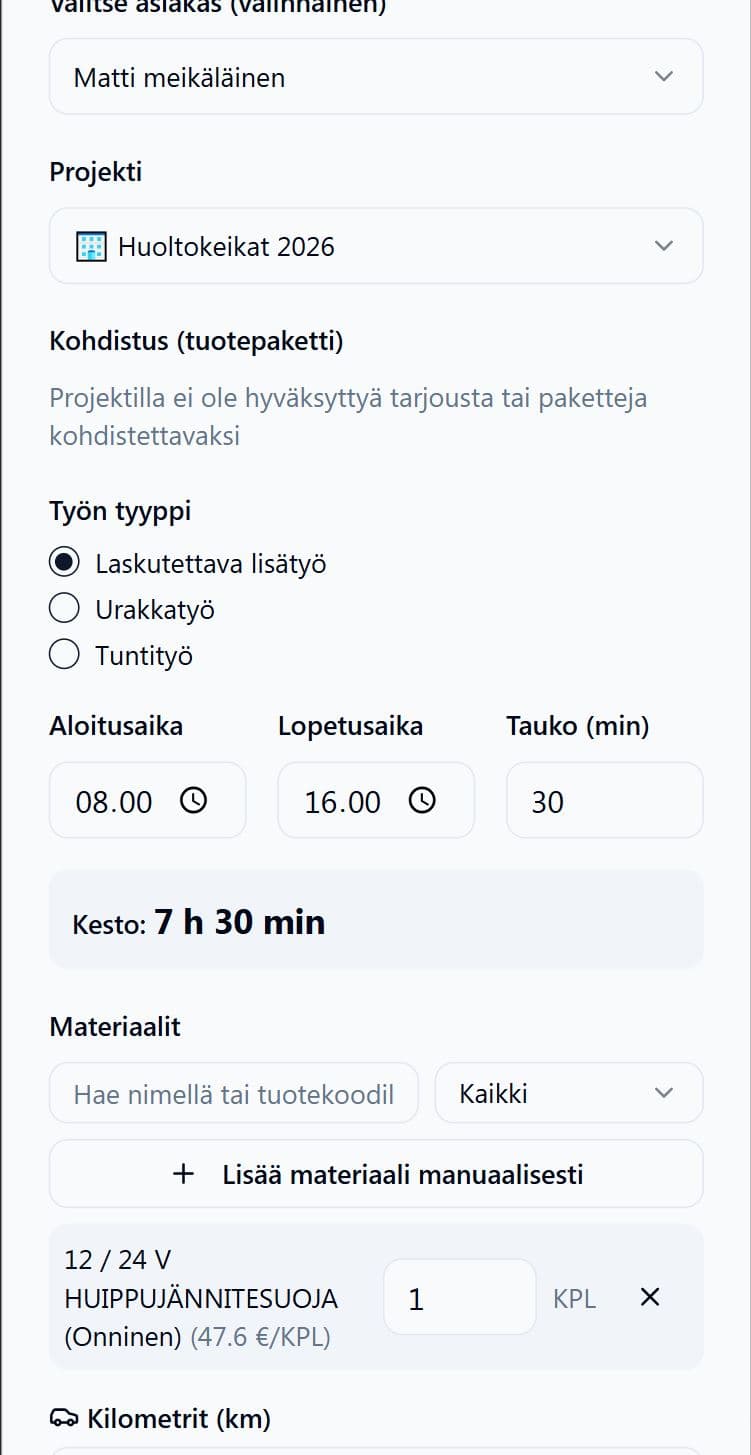
Management sees hours the moment they are logged
No more weekend hour reports or calls about what got done. A supervisor approves hours with a few clicks, and the hours flow straight into cost tracking and onto the invoice.
- Logged hours visible to management in real time
- A supervisor approves hours with a few clicks
- Hours straight into cost tracking and onto the invoice
Offline
A dead spot does not interrupt logging
In a site basement or out in the countryside the network can drop, but logging still works. Hours are saved on the phone and sync automatically when the connection returns, so no entry is ever lost.
- Logging works without a connection
- Automatic sync when the connection returns
- Everyone sees their own entries on their phone
Time tracking is part of the whole construction app
Work hours live in the same app as cost estimation, projects and invoicing. No separate programs.
- Time tracking on mobile
- Cost tracking in real time
- Cost estimation and electronic approval
- Project management and tasks
- Drawing measurement and take-off
- Invoicing and accounting integrations
- Scheduling and Gantt
- Site messaging with translation
- Documentation and site diary
- Expenses and purchase invoices
- Access control and permits
- AI assistant and reports
Built for the construction entrepreneur
Fast to adopt
You start the same day, with no onboarding project. An installer learns to log hours without training.
Your data is safe
A Finnish service that stores your data securely. Every entry is saved on the project automatically.
Real human support
Support from a real person who knows construction. No bots and no queues.
Frequently asked questions
Does logging work without a connection?
Yes. Hours can be logged offline, and they sync automatically when the connection returns.
Can a supervisor see everyone's hours?
Yes. Supervisor and admin users see all entries per project in real time and approve them with a few clicks.
Do the hours flow into invoicing?
Yes. Logged hours show up in the project's cost tracking and carry over to the invoice with no re-entry.
Is the location saved on the entry?
Yes. The GPS location is saved automatically with the entry, so logged hours can be verified.
How much does FiSAS cost?
Prices start at €69/month (VAT 0%). You can choose annual or monthly billing, and annual billing is cheaper.
Start now or book a walkthrough
Either works. Both are free.
Try it yourself
You are in right away. The trial ends automatically and no payment details are asked for.
- 14 days with full access
- No payment details, no commitment
- Support from a real person