← Knowledge base

Communication

Site communication: why WhatsApp is not enough

9 July 2026 · 7 min read

Photos on workers' phones, decisions buried in chat threads and extra work nobody can find at invoicing time. What a WhatsApp group costs and when to move communication into the project.

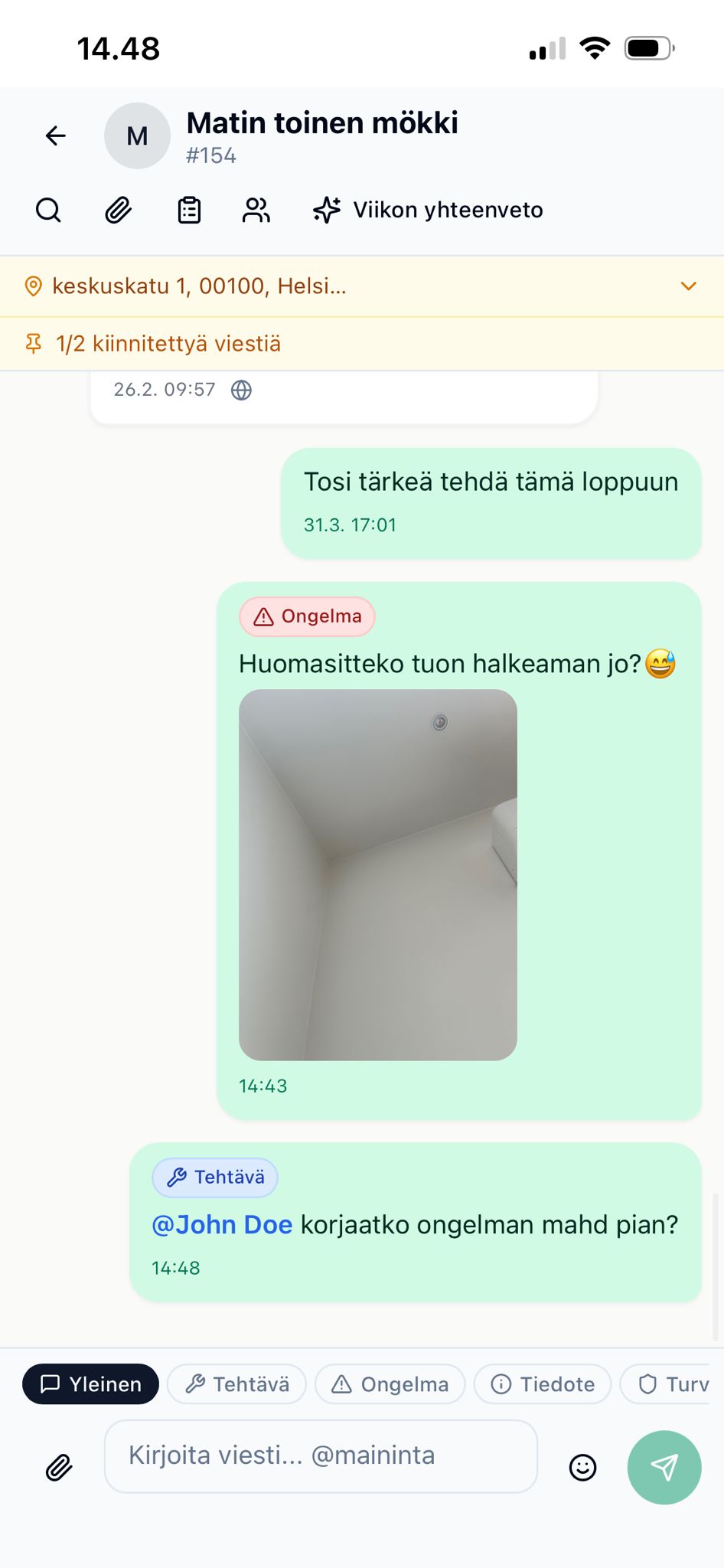
A site conversation in the project's own chat on a phone

The message arrives, the information goes missing

A site WhatsApp group usually starts on day one, when someone asks where the key is. It is fast, free and already on everyone's phone. That is why almost every small construction company uses one, and for getting a message across it works well.

The trouble starts later. Without anyone deciding it, the group also becomes the record of decisions, the photo archive and the task list, and it was built for none of these. When someone asks six months later when the partition wall move was agreed and who approved it, the answer is somewhere among four hundred messages.

This article looks at where the group fails, what that costs, and how to decide when site communication should move into the project itself.

Four places where the group fails

Search does not find what you are looking for. WhatsApp search finds words. The question is rarely "what was said on 14 March", but "when did we agree on the bigger tiles". If the client wrote "let's go with 60 x 60 after all", searching for "tile" finds nothing.

A decision looks like any other message. The group holds hundreds of messages, a handful of them decisions. They look no different from "I'll be there at eight", so a month later the decisions live only in people's memory.

A task has no owner and no status. "Could someone pick up those battens tomorrow" goes to everyone, so nobody owns it. A finished task leaves no mark, and the same thing gets a second reminder even though it was done the first time.

The material sits on a worker's phone. Photos and messages are stored on personal devices. When a worker leaves the company, or a phone breaks without a backup, their photos and the instructions they were given leave too. The company cannot ask for them back, because it never controlled them.

None of this is WhatsApp's fault. A messaging app is made for conversation, not for keeping a project's records.

What one lost message costs

Take an ordinary renovation. Partway through, the client asks to move the kitchen partition wall 40 centimetres. The site manager replies "no problem" in the group, the crew makes the change, and with demolition, new framing and boarding it takes 22 hours and 380 euros of materials.

Invoiced at 55 euros an hour with a margin on materials, that is about 1,650 euros excluding VAT. At the final invoice the client does not remember asking, or remembers it as a small adjustment they assumed was included. The message exists, but nobody can find it, and to avoid a dispute the extra work is left off the invoice.

With five sites a year, several such cases are easy to collect. Three of them already cost around 5,000 euros, which for a small company is often more than all its software costs for the year.

Written evidence you cannot produce

In construction, communication is also a legal matter. Under the Finnish general conditions for building contracts (YSE 1998), and the KSE 2013 terms used in consumer contracts, the starting point is that changes and extra work and their price are agreed before the work begins, preferably in writing. In a dispute, the outcome often depends on which party can show what was agreed.

The client's message "let's do the tiles bigger after all" is written evidence. It does not help if nobody can find it, if it has no price, or if it was written in a group the client has since left. You think you are covered when you are not.

The same goes for photos. A photo of a rotten bottom plate justifies extra work, but only once you know which site, which spot and when it was taken. WhatsApp compresses photos and strips part of their data, and a year later the photo is an undated file in someone's gallery.

Extra work should therefore always get its own record with a description, a price and the client's approval. A message in the group can be where it starts, but it does not replace the record. More on this in the article on managing extra and variation work.

Not all messages are equal

A day on site produces four kinds of messages, and each has a different lifespan.

Coordination: who is coming, when, what to bring. Out of date by the end of the day.

Questions: which way the fall goes, where this one goes. Out of date once answered, unless the answer departs from the plan.

Observations: found rot, a guardrail is missing, the delivery was wrong. These never go out of date, because they turn into extra work, complaints and safety fixes.

Decisions: we do it differently from the drawing. These never go out of date, and losing them is what costs money.

Most of the traffic is coordination. That is why the group seems to work: most messages are fine to lose. The problem is the small share that should be kept, because it disappears just the same.
Try FiSAS for free, 14 days, no payment details.

Start trial

The language barrier makes a lost message dangerous

On many sites people speak Estonian, Polish, Ukrainian or Russian as well as Finnish. A written message should in principle be easier to follow than speech over noise, but in a group you cannot check that it was understood. Face to face you can see whether the instruction landed. In a group you only see that nobody asked anything, which is easily read as agreement.

In practice a worker with another language pastes the message into a translator if there is time, or asks a colleague who interprets it their own way. With measurements and sequences, a mistake means doing the work twice. With safety instructions it can cost more.

Two habits help whatever the tool. Safety instructions are given face to face and confirmed. Understanding is checked with a question rather than a request for confirmation: "what height will you fit it at" tells you more than "ok".

Data protection and work phones

WhatsApp is a Meta service, and a site group regularly carries personal data: customer names and phone numbers, photos from customers' homes, sometimes details of sick leave. That data sits on personal devices the company does not control, and the company cannot remove it when someone leaves.

From a data protection point of view, a company should be able to say where its customers' data is and who can access it. Many companies use WhatsApp for work without trouble, but the question is hard to answer when photos from a customer's home are on the phones of ten current and three former employees.

What the project's own communication changes

The answer is not to ban messaging apps. Arranging the coffee break or "I'm running fifteen minutes late" can go anywhere. Information that matters to the project, on the other hand, should be written where it stays with the site. That takes a tool as fast as WhatsApp, otherwise the crew drifts back to the group on the first busy day.

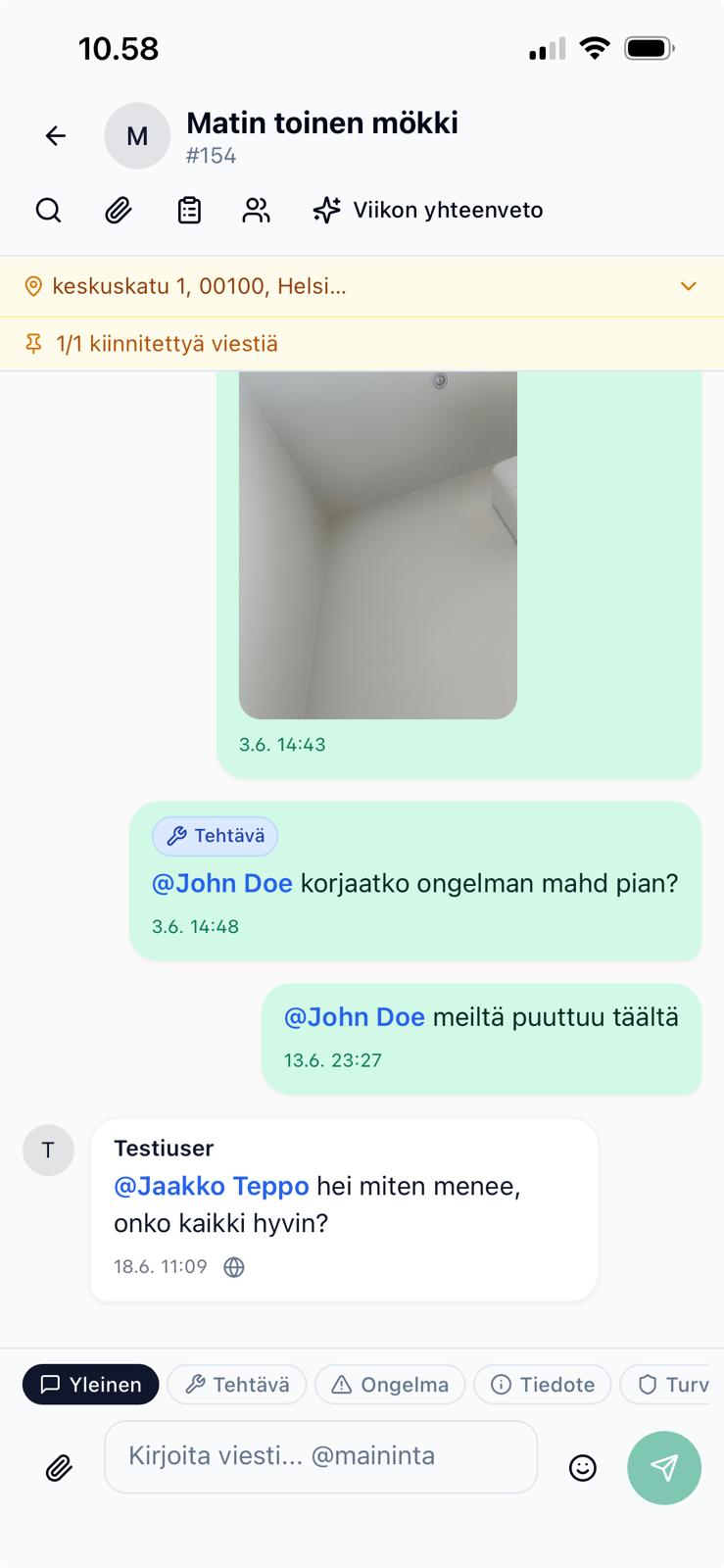
In FiSAS every project has its own conversation:

  • Messages, photos and files are stored on the project. When you return for a warranty repair two years later, the conversation is found through the project, not on someone's phone.
  • An @-mention notifies the right person. A task does not get lost in the general flow, and a push notification reaches people on site.
  • Any message can be translated into your own language at the press of a button. Supported languages include English, Swedish, Estonian, Polish, Ukrainian, Russian, German and Arabic.
  • Subcontractors can be invited to the project. Parties invited to the project can join the site conversation, so no separate group is needed.
  • A weekly AI summary tells you what happened on each project. Supervisors do not have to read every message.

Project messages and tasks in the same view

Extra work and observations do not stay in the conversation. Extra work is recorded as its own extra work quote, which the client approves electronically, and an observation is marked with photos on the project's floor plan. A message can be the prompt, but the decision is stored in a form that can be found and invoiced.

Communication is included in the Builder and Master plans. Companies with one site at a time and two people often manage without it for longer. It becomes a problem when there are several sites at once, subcontractors are involved, or the crew speaks more than one language.

How the switch works in practice

Moving site communication does not need a big project. The approach that works best is to start with one new site and agree a single rule with the crew: anything someone will still need to know in a month goes into the project conversation. Photos of structures, agreed changes and client requests go there straight away, and coordination can carry on anywhere.

After the first week, the difference usually shows in the site manager no longer having to ask where that photo is. When the site is finished, its whole message history sits under the project, and the next site starts the same way.

Test your own situation

Find the message in your site group where the latest extra work was agreed. If you find it in under a minute and it has a price and the client's approval, your setup works. If you cannot find it, you have evidence you cannot produce and extra work whose invoicing depends on the client's memory.

FiSAS can be tried free for 14 days, so you can run the next site's communication in the project conversation before deciding anything.

Try FiSAS for free

14 days, no payment details, no commitment.

Start free trial