
Calendar and scheduling
The calendar brings jobs, sites and tasks into one view. Everyone sees their own tasks and work orders, and the supervisor gets an overview of the team's workload. Changes update for everyone in real time.
Try for freePlan short jobs and longer sites in one view, with the whole team's schedule in real time.
- Short jobs and longer sites in the same calendar
- Employees see their own tasks and work orders
- An overview of the team's workload for the supervisor
- Changes update for everyone in real time

JOBS AND SCHEDULES
TASKS AND WORK ORDERS
Manage short jobs and longer sites efficiently. Employees see their own upcoming tasks and work orders, and the supervisor gets an overview of the team's workload. All changes update in real time.

LONGER SITES
SCHEDULE AT A GLANCE
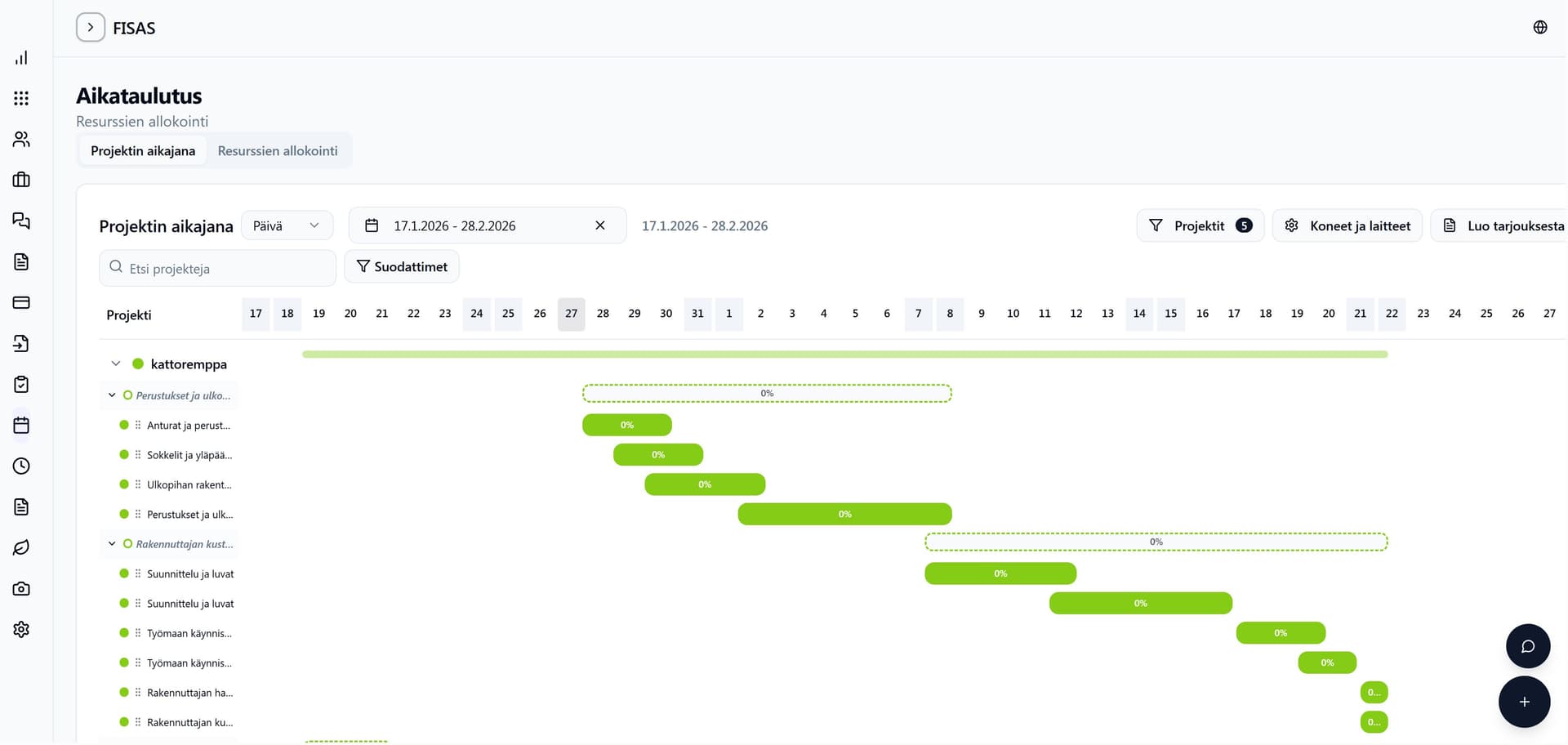
The schedule view shows projects' progress visually. You see immediately which sites are running, what is coming up and where there are overlaps, so you can react before the schedule breaks.
Try the calendar and scheduling for free
14 days free, no payment details, no commitment.
Frequently asked questions
Do employees see only their own tasks?
An employee sees their own tasks and work orders. Supervisor and admin users see the whole team's calendar.
Do changes update instantly?
Yes. All calendar changes are visible to the whole team in real time.
Which plan includes the calendar and scheduling?
The calendar and scheduling are included in the Builder and Master plans.
Other features
Cost estimation
AI drafts the quote from your drawings for you. You review it, price it with your own rates and win more contracts.
Drawing measurement
AI takes off the quantities from your drawings for you. You review them, and they go straight into the quote.
Invoicing
Invoice your projects fast. The invoice is created straight from logged work or by payment instalments.