 FiSAS
FiSASRun the TR measurement on your phone, not in a folder
Walk the site and record observations straight into your phone. Seven official categories are tapped correct or incorrect, an incorrect mark opens an observation form with photos, and the TR index calculates itself. The report is ready before you get back to the van.
14 days free. No payment details. Cancel any time.
A round takes minutes, not an hour
You record observations as you walk: every item is one tap, correct or incorrect. Nothing to type up back at the office, because the measurement is finished when the round is.
No observation is left open to interpretation
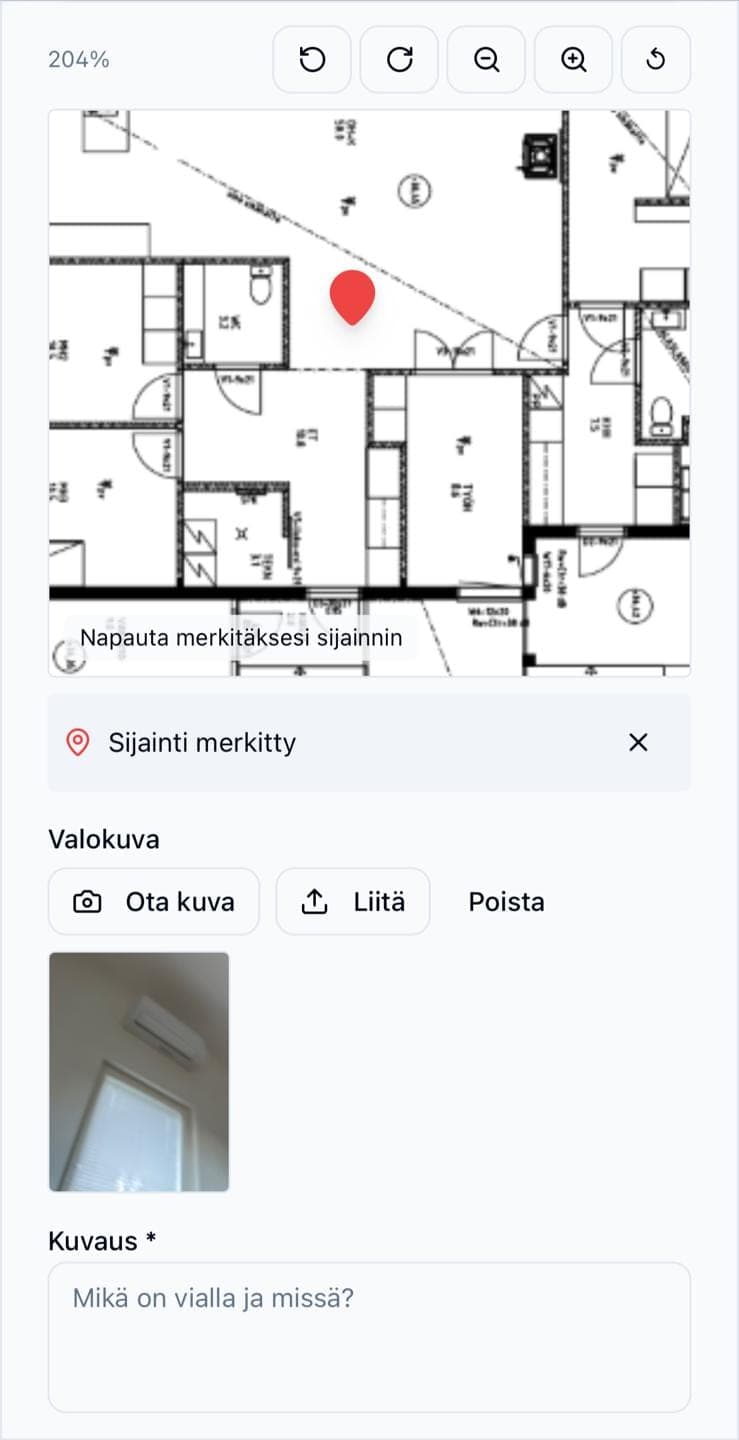
An incorrect mark opens a form where you attach a photo and a description. The location is pinned on the project's floor plan, so whoever fixes it finds the spot without explanations.
The TR index without doing the maths
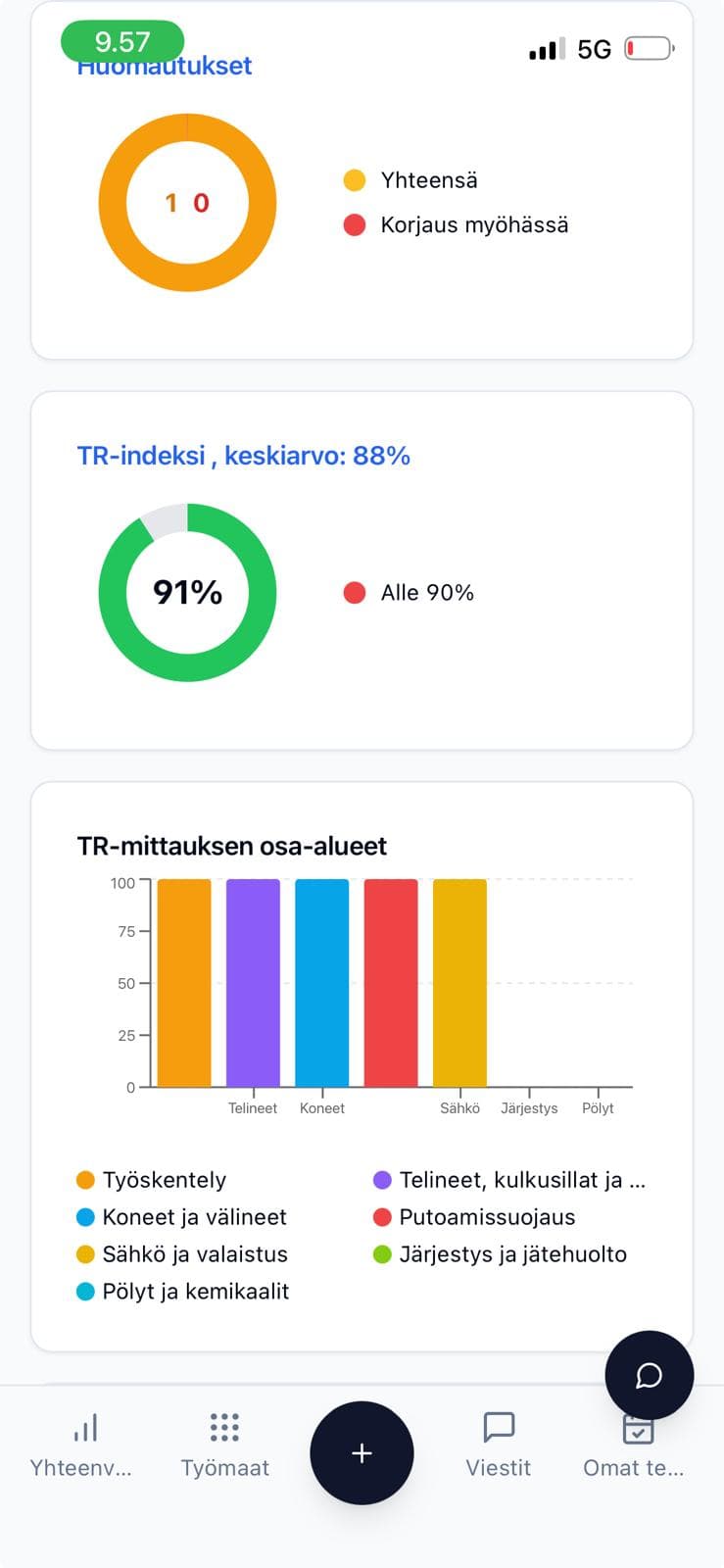
The index is calculated from your marks in real time and stored on the project. You see how it develops from one round to the next and spot the problems that keep coming back.
From the round to the report with nothing in between
The measurement, observations, responsibilities and report all live in one view. No separate form, no spreadsheet, no email thread.
Measurement form
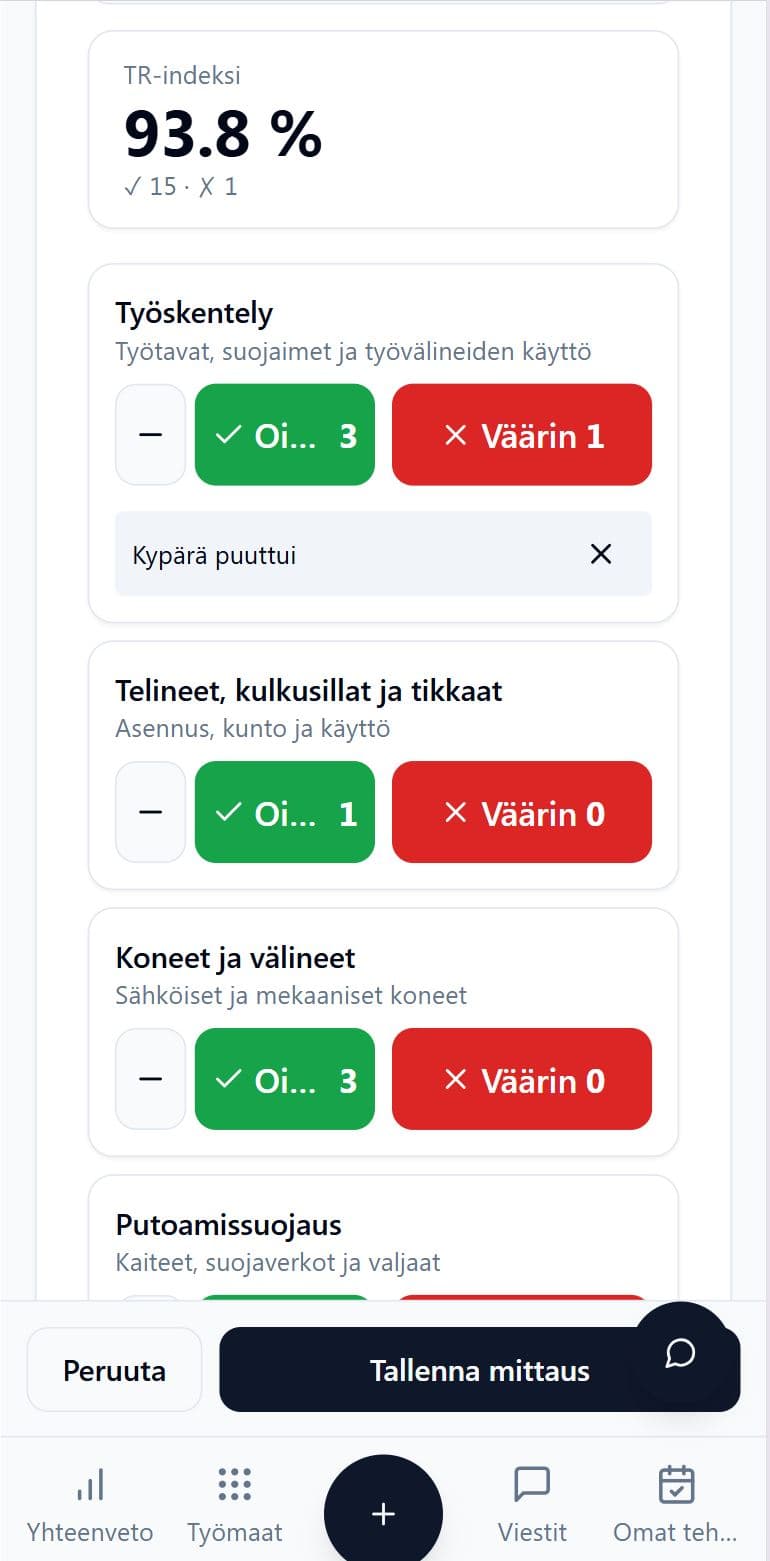
Seven official categories by tapping
The FiSAS TR measurement covers all seven official categories: working, scaffolding and walkways, machines and equipment, fall protection, electricity and lighting, order and waste management, and dust and chemicals. You mark each item correct or incorrect with a single tap, so the round keeps pace with your walk.
- All seven official TR categories
- Correct or incorrect with one tap
- Works on your phone right at the site
Observations
A photo and a location on the floor plan
When you mark an item incorrect, the observation form opens automatically. You attach a photo and a description, then pin the observation on the project's floor plan. Observations show up as category icons, colour-coded by the status of the fix, so one glance tells you what is still open.
- The observation form opens from an incorrect mark
- Photo and description on the same observation
- Location and fix status on the floor plan
Index and report
TR index, trend and PDF report
The TR index is calculated from your marks in real time, and the summary shows the level of each category alongside the open observations. The responsible person gets an email notification about observations to fix, and the report comes out as a PDF in one click. Measurements can also be included in the project's final report.
- TR index in real time, with the trend between rounds
- Email notification to the responsible person
- PDF report, and inclusion in the project's final report
TR measurement is part of the whole construction company app
Safety measurement lives in the same app as the site diary, work hours and invoicing. No separate programs and no entering the same thing twice.
- TR measurement and safety observations
- Documentation and site diary
- Project management and tasks
- Time tracking from mobile
- Access control and attendance
- Cost estimation and electronic approval
- Real-time cost tracking
- Invoicing and finance integrations
- Scheduling and Gantt
- Site communication and translations
- Tax authority construction reports
- AI assistant and reports
Built for the Finnish construction entrepreneur
Quick to adopt
You run the first measurement the same day, with no rollout project. The form is ready, so no training is needed.
Documentation stays put
Measurements, observations and photos are saved to the project automatically. The history is there when someone asks for it.
Support in your language
Support from a real person who knows construction. No bots and no queues.
Frequently asked questions
What is the TR measurement?
The TR measurement is an established safety observation method for construction sites. You walk the site and mark every observation either correct or incorrect. Those marks produce the TR index, which expresses the safety level as a percentage.
Which categories are in the TR measurement?
The FiSAS TR measurement includes all seven official categories: working, scaffolding and walkways, machines and equipment, fall protection, electricity and lighting, order and waste management, and dust and chemicals.
How is the TR index calculated?
The index is the share of correct marks out of all marks. FiSAS calculates it automatically as you record observations, so there is no separate calculation to do.
Can the measurement be done without a network connection?
FiSAS works on mobile in offline mode too, and the data syncs once the connection is back. You do not need to interrupt a measurement in a dead spot.
How do observations end up getting fixed?
An incorrect mark creates an observation that you can assign to a responsible person. They get an email notification, and the status of the fix is colour-coded on the floor plan.
Do I get a report from the measurement?
Yes. The report comes out as a PDF in one click, and measurements can also be included in the project's final report.
Which plan includes TR measurement?
TR measurement is part of the Master plan, which starts at €199/mo (VAT 0%).
What does the 14-day free trial mean?
You can try every feature free for 14 days. We do not bill you without your consent, the trial ends automatically and no payment details are needed.
Run your first TR measurement or book a demo
Either works. Both are free.
Try it yourself
You get in right away. Your first round and report take minutes.
- 14 days with full access
- No payment details, no commitment
- Support from a real person