 FiSAS
FiSASQuantities from drawings: AI counts, you review
Upload the drawings, and you get areas, lengths and piece counts already taken off. You see on the drawing where each quantity comes from, and quantities flow straight into the quote. Measure yourself by clicking whenever you want.
14 days free. No payment details. Cancel at any time.
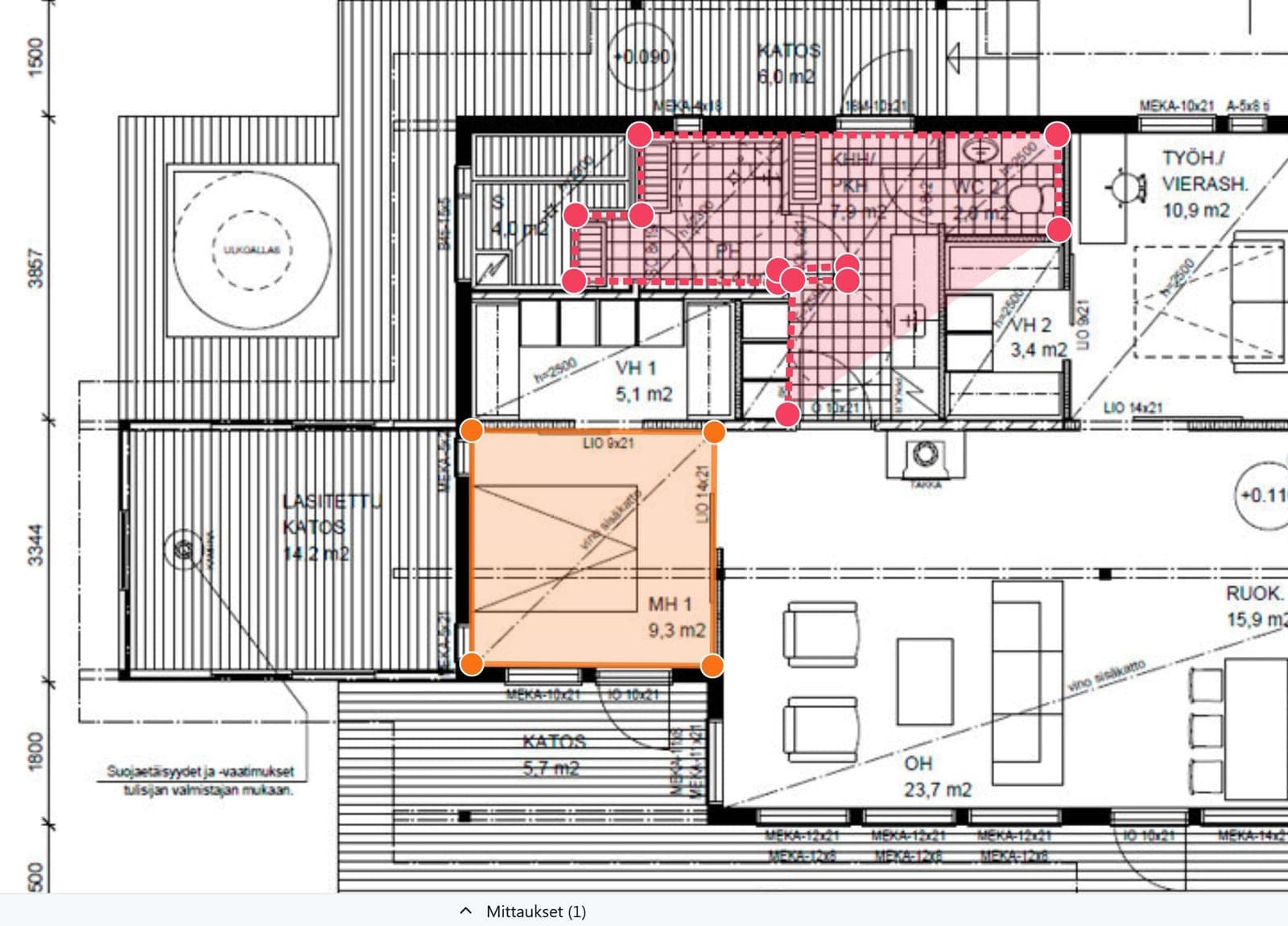
AI does the take-off
Hours of take-off shrink into a review. You get the quantities already counted and only fix what needs fixing. No more ruler, calculator or spreadsheet.
The drawing travels in your pocket
Open the drawing and measure on your phone or tablet straight from the site. The same measurements are available at the office and on location.
Quantities straight into the quote
Attach materials with prices from your own library to the measured items. Quantities transfer into the cost estimate with one click, with no re-entry.
From drawing to quote in one view
Quantities are counted once, and they flow straight into pricing. No double entry, no guesses.
AI
Quantities ready, sources in view
Upload the drawings, and AI takes off the quantities for you. You see on the drawing where each quantity comes from, so checking is quick and you can trust the figures that go into the quote.
- Quantities from drawings without counting by hand
- Every quantity's source shown on the drawing
- You review and decide what goes into the quote
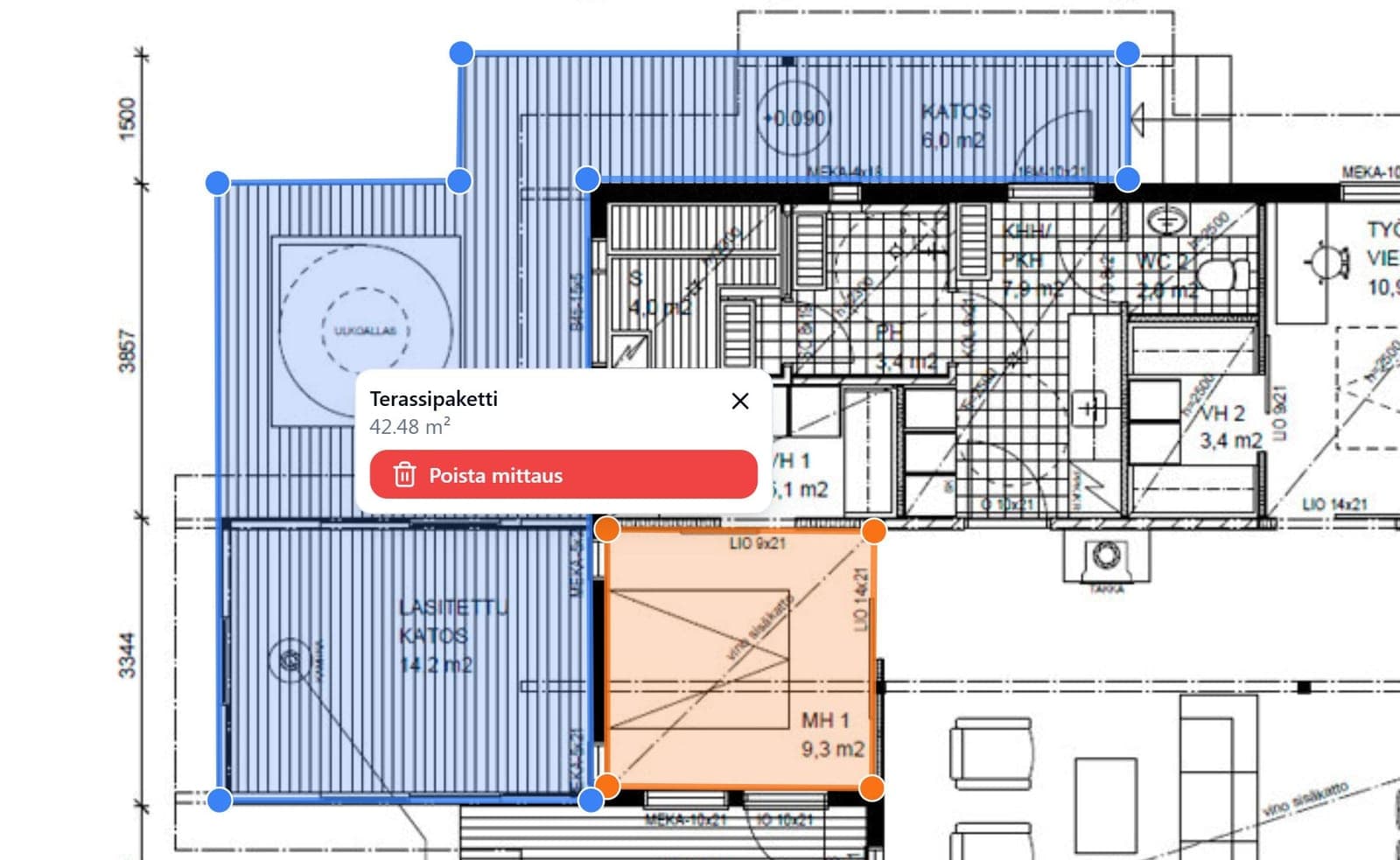
Drawing measurement
Measure yourself, straight in the browser
Open a PDF, PNG, JPG or DWG drawing directly in the browser and calibrate the scale in a few seconds. Then measure areas, lengths and piece counts by clicking directly on the drawing. No separate program and no installs.
- PDF, PNG, JPG and DWG directly in the browser
- Calibrate the scale in a few seconds
- Areas, lengths and piece counts by clicking
Quantity take-off
Quantities straight into the quote without re-entry
Attach materials with prices from your own library to the measured items and add the quantities to the quote with one click. Pricing is based on measured quantities, not guesses, so your margin stays under control.
- Materials and prices from your own library
- Quantities into the cost estimate with one click
- Pricing on measured quantities, not guesses
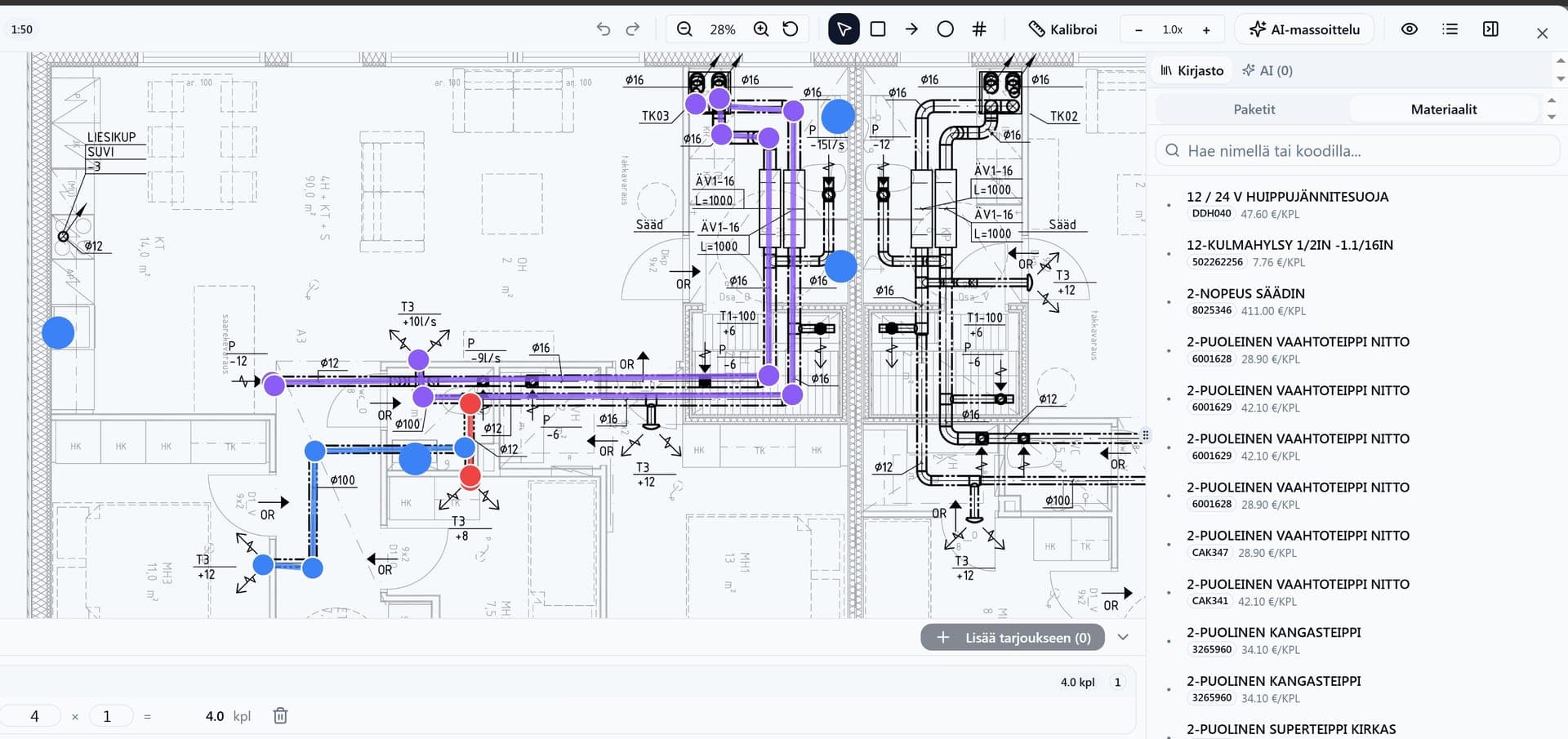
Measurement is part of the whole construction app
Drawing measurement lives in the same app as cost estimation, work hours and invoicing. No separate programs.
- Drawing measurement and take-off
- Cost estimation and electronic approval
- Project management and tasks
- Time tracking on mobile
- Cost tracking in real time
- Invoicing and accounting integrations
- Scheduling and Gantt
- Site messaging with translation
- Documentation and site diary
- Expenses and purchase invoices
- Tax authority construction reports
- AI assistant and reports
Built for the construction entrepreneur
Fast to adopt
You start the same day, with no onboarding project. Open a drawing and measure right away, with no training.
Your data is safe
A Finnish service that stores your data securely. Drawings and measurements are saved on the project automatically.
Real human support
Support from a real person who knows construction. No bots and no queues.
Frequently asked questions
Can AI do the quantity take-off for me?
Yes. Upload the drawings, and you get the quantities already taken off. You see on the drawing where each quantity comes from, and you review them before they go into the quote.
Which file formats does measurement support?
You can open a PDF, PNG, JPG or DWG drawing and measure areas, lengths and piece counts from it.
How accurate are the measurements?
Measurements are based on the drawing's scale. When the scale is right, measurements match the real dimensions to the centimetre. You always review the AI's quantities yourself before quoting.
Can I measure on a phone at the site?
Yes. You open the drawing and measure on a phone or tablet too, so the same measurements are available at the office and on location.
Which plan includes drawing measurement?
Drawing measurement is included in cost estimation on the Builder and Master plans. The Builder plan is €119/month (VAT 0%).
What does the 14-day free trial mean?
You can try every feature free for 14 days. We do not charge without your consent, the trial ends automatically and no payment details are needed.
Try measurement yourself or book a walkthrough
Either works. Both are free.
Try it yourself
You are in right away. Open a drawing and measure your first item in minutes.
- 14 days with full access
- No payment details, no commitment
- Support from a real person